A CRM Without a Sales Pipeline: Segments Instead of Deal Stages
No deal pipeline? Choose a CRM built on segments, lifecycle stages and follow-ups. Learn what to look for and where AICRM fits, and where it doesn't.
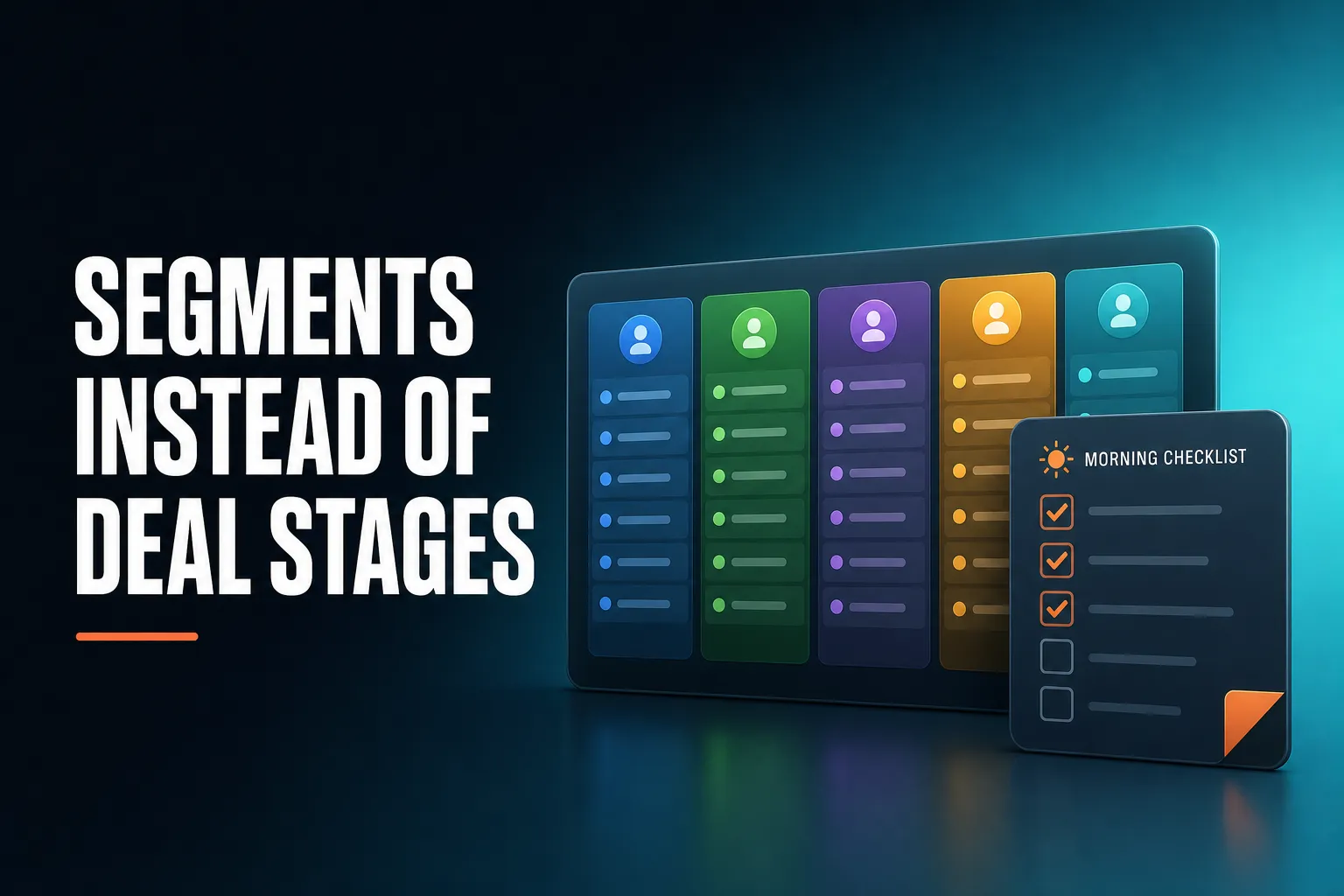
If you don't need a traditional sales pipeline, choose a CRM built around contacts, lifecycle stages and segments rather than deals and deal stages. You group people by who they are and what has happened (a customer, someone who has gone quiet, a high-scoring lead, a form submission), then act on each group. AICRM is one CRM built this way: it has no deal pipeline, and uses segments, lead scores, follow-ups and a Daily Brief instead.
What CRM should I use if I don't need a traditional sales pipeline?
Use a contact-centred CRM: one where the main record is the person or company, not the deal. Look for lifecycle stages, segments, follow-up dates, tasks and email campaigns, and skip tools whose whole design depends on moving deals across stages. Consultants, founders, small-business owners and customer marketers often fit here, because their work is relationships and repeat business, not a queue of one-off deals.
The phrase 'sales pipeline' hides an assumption: that every relationship ends in a discrete deal with a value, a close date and a handful of stages. For plenty of small businesses, that is not how the work happens.
You probably don't need a traditional pipeline if:
- Customers buy repeatedly, renew or refer, rather than closing once.
- Your 'stages' would only be 'talked' and 'signed', so a board adds admin without adding insight.
- Growth comes from email, content, events or forms, and the question is who to nurture, not which deal to push.
- You work alone or in a small team and remember most conversations. The risk is forgetting a follow-up, not misreading a forecast.
- Your job is customer or lifecycle marketing: who is new, who is going quiet, who is ready to hear about something else.
What you still need is a way to know what needs attention. A pipeline board answers that implicitly: the card that has sat in 'proposal sent' for three weeks looks wrong. Without a board, the CRM has to answer it another way, through follow-up dates, overdue tasks, unanswered emails and inactivity. That is the part people forget when they drop the pipeline, and it is the part to test hardest when you compare tools.
What CRM works around customer segments rather than sales deal stages?
A segment-based CRM lets you define groups by attributes and behaviour, such as lifecycle stage, lead score, industry, source or time since last contact, and keeps those groups live as your data changes. AICRM works this way. Its segments combine score, lifecycle stage, status, industry, source and inactivity, and View Contacts always shows who is actually in one.
AICRM is not the only option. Many CRMs offer lists or segments, but in many of them these sit alongside a deal pipeline that remains the centre of the product. That is fine if you use both. It is less useful if you want the segment to be the main unit of work and the pipeline to stay out of the way.
When you compare options, ask one practical question: if I delete the deal pipeline from my mind, can I still run my week from this tool? Other contact-first CRMs, such as folk, Less Annoying CRM and Attio, are worth including in your comparison. Check how much of each one's design depends on deals, and check its current features yourself, because they change.
A segment-first approach tends to suit these kinds of work:
- Re-engaging customers who have gone quiet.
- Sending a campaign to a specific industry or lead source.
- Looking after your best customers before they drift.
- Deciding who to contact first, based on a score you can explain.
How is a segment different from a deal stage?
A deal stage says where one sales opportunity sits in a process, and you usually move it by hand. A segment is a group of contacts defined by rules, so people enter and leave automatically as their data changes. One contact can sit in many segments at once, which makes segments better for nurturing and re-engagement than for forecasting.
| Deal stage | Segment | |
|---|---|---|
| What it describes | Where one sales opportunity is in a process | A group of contacts who share attributes or behaviour |
| How a contact gets in | Usually you move the card by hand | Rules put them in and take them out as data changes |
| Can one person be in several? | Usually one stage per deal | Yes, many segments at once |
| Best for | Forecasting a defined sales process | Nurturing, re-engagement, prioritising, targeted campaigns |
| Typical question | 'What is likely to close this quarter?' | 'Who has gone quiet and should hear from me?' |
Neither is better in the abstract. They answer different questions. A deal stage is a statement about a transaction. A segment is a statement about a person.
A concrete example
Imagine a freelance consultant with a few hundred contacts. In a pipeline CRM she might track 'Lead', 'Call booked', 'Proposal sent' and 'Won' columns. In a segment-first CRM she might instead keep a handful of live groups:
- Customers with no contact in 90 days or more.
- Contacts with a high lead score who have not yet become customers.
- Everyone from a particular lead source, such as a webinar form.
- Customers in one industry, for a targeted email.
Nothing is moved by hand. Someone should drop out of 'gone quiet' once she logs a conversation with them, and someone joins 'high score' when their activity pushes the score up.
What should you look for in a CRM without a deal pipeline?
Look for six things: live segments with combinable filters, follow-ups that don't depend on a deal, a lead score you can understand, campaigns that target segments, low admin and easy import. If a CRM can't tell you what needs attention without a pipeline board, you may end up rebuilding one in a spreadsheet.
Live segments that combine cleanly
Check that a segment updates itself and that you can combine several conditions, such as lifecycle stage plus industry plus inactivity. Static lists that you export once and forget are not the same thing. Also check that you can see who is in a segment at any moment, not only when a report has run.
Follow-ups that don't need a deal
In some CRMs, tasks and next steps hang off a deal. If you have no deals, you need them on the contact. Look for a next follow-up date with a reason on each contact, a task list per contact, and a single place where due and overdue items appear.
A lead score you can explain
Without stages, a score is one of the few ways to say who matters most. Prefer a score built from rules you set yourself (job title, industry, company size, location, source, recency, email opens, site visits) over a black box. You should be able to see why someone scored what they did, and add your own judgment on top without it being overwritten.
Campaigns and automation tied to segments
If your growth comes from email, you want to aim a campaign at a real, inspectable segment and, ideally, trigger a nurture email when someone enters one. That is how a segment becomes action rather than a list you look at.
Low admin
The point of dropping the pipeline is to spend less time maintaining it. Check how much typing a CRM expects after every call. Tools that pick up follow-up dates from notes you have already logged, or let you update records by asking, tend to save more time than another configurable field.
Easy import
You will probably be moving contacts from a spreadsheet or another CRM. Look for CSV import with field mapping and duplicate checking, and decide before you import what you will do with any deal information you currently hold, because a contact-first CRM will not have somewhere to put it as a deal.
How do lifecycle stages and follow-up tasks replace deals?
A lifecycle stage records the relationship (for example, a lead or a customer), and a dated follow-up task records the next thing that has to happen. Together they cover what most small teams use deals for: knowing who is where, and not letting anyone go cold. They don't give you deal values or forecasts, so decide whether you need those first.
Think about what a deal card actually does for a small business. Mostly it holds three things: who the person is, where things stand, and what happens next. A contact record already holds the first. A lifecycle stage holds the second at a coarser level. A follow-up date with a reason holds the third.
For example, 'Send revised quote on Friday' is a follow-up with a date and a reason on the contact. If a contact says 'call me after the 15th' on a call you log in AICRM, it can pick up a follow-up date from that. When the date arrives, the item should show up somewhere you will see it, without you having to look through a board.
The trade-off is real. You lose the visual board and any forecast built from deal values. If you currently look at that board every Monday to decide what to chase, you will need to replace that habit with a daily or weekly look at what is due, overdue and gone quiet.
How does AICRM work without a sales pipeline?
AICRM has no deal pipeline or deal stages. It is built around contacts, lifecycle stages, lead scores, segments, tasks and campaigns, and it works through three steps: surface what needs attention, give you the context, then help you act on it in the same conversation. The Daily Brief is the centre of that.
Attention: the Daily Brief
Every time you open the dashboard, AICRM computes a live brief. It covers follow-ups due or overdue, emails awaiting a reply, open tasks, new hot and warm signals (company news and role changes), recent contact activity, known contacts who came back to your website, recent campaigns, email drafts waiting to be sent, and a count of customers with no contact logged in 90 days or more. On Mondays it looks back three days so the weekend does not get lost.
The same brief is emailed to you at 7am on weekdays in your timezone, and skipped when there is nothing in it. You can switch that off in Settings. If you ask the agent 'what needs my attention today?', it returns one ranked list from the same data, with the reason for each item. It ranks by urgency (overdue follow-ups and hot signals first), not by lead score.
Context: one contact record
Each contact has an activity timeline (calls, emails, meetings, notes, page views), a task list, a lead score and a lifecycle stage. Follow-ups can be set by hand, by asking the agent, or picked up from a call, meeting, note or email you have logged in AICRM. Logging a conversation with no new follow-up in it marks a due one as done.
Action: segments, drafts and campaigns
You can ask the agent to find customers who have gone quiet (90 days by default, though you can change the number of days) and turn them into a segment. You can ask it to 'draft follow-ups for my top three contacts', and it saves a plain-text draft on each contact without sending anything. You review, edit and send, or discard. The agent sends an email only when you explicitly ask it to, after confirming.
For groups, you can run email campaigns with A/B variants and open and click tracking against a segment, or set up an automation that sends a campaign when a contact enters one. For example, when someone enters an 'Inactive 90 days' segment, a re-engagement email goes out.
Signals and the website
A rate-limited enrichment pass looks for company news and job title changes for your contacts, at roughly 100 contacts a week. Each signal is tiered Hot, Warm or Monitor, and the ones that matter come with a drafted outreach message. On your website, known contacts are recognised when they return after a form submission. Anonymous visitors are identified at company level only, not as individuals.
Limits worth knowing
- Follow-ups are only picked up from conversations logged in AICRM, including emails sent from AICRM or BCC'd or forwarded to it. It does not listen to calls or read your inbox.
- Awaiting-reply flags cover one-to-one emails sent from AICRM, after 3 days with no reply, call or meeting. They do not cover campaign emails or emails sent from your own inbox.
- Email drafts are one-to-one, with no scheduled send, and they do not appear in your Gmail or Outlook drafts folder.
- There is no phone dialler or SMS.
When is a deal pipeline the better choice?
A pipeline-led CRM is the better choice when you have a sales team working defined opportunities with values, stages and close dates, and you need forecasts, stage reports or rep performance by deal. HubSpot, Pipedrive and Salesforce are long-established options for that. A segment-first tool will frustrate you if your week is built around moving deals.
Be honest about which description fits you. Signs you should choose a pipeline-led CRM:
- Several salespeople work shared opportunities and a manager reviews them by stage.
- You forecast revenue from deal values and probabilities.
- Your sales cycle has many steps, such as qualification, demo, proposal, legal and procurement, and each needs tracking.
Separately, if you need calling or SMS inside your CRM, AICRM has neither, so look elsewhere.
Signs a segment-first CRM is enough:
- You are a founder, consultant, small-business owner or small team.
- Your main worries are missed follow-ups, knowing who to contact next and remembering what happened last time.
- You do customer marketing or lifecycle work and think in groups of people.
- You want less admin, not a more detailed process.
Some teams use both approaches, and that is a reasonable answer too. The important thing is to choose deliberately rather than inherit a pipeline because every CRM demo starts with one.
How do you set up a segment-based CRM without a pipeline?
Start small: import your contacts, define three or four live segments that match real decisions, set follow-ups on the people who matter, and use a daily look at what is due as your replacement for a pipeline board. You can refine scoring and automation once the basics work.
- Import your contacts. Use a CSV from your spreadsheet or old CRM. AICRM maps fields automatically, reports failed rows individually, and detects duplicates by email, so a re-import does not create copies.
- Decide what your lifecycle stages mean. Keep them few and clear, so that anyone on your team would put a contact in the same place.
- Set up your scoring rules. In Settings, add rules for the signals that matter to you, such as job title, industry or site visits. Start with two or three and adjust later.
- Build three or four segments. For example: customers gone quiet for 90 days or more, high-scoring contacts who are not yet customers, and one segment per lead source you care about.
- Add follow-ups to your live conversations. Give each important contact a next follow-up date and reason, or log your last call or meeting and let AICRM pick one up from it.
- Check the Daily Brief for a week. Notice what it surfaces, what you act on and what you ignore. Then decide whether to automate a nurture or re-engagement email for one segment.
The habit matters more than the setup. If you look at the brief every morning and clear what is due, a segment-first CRM will do the job a pipeline board does for a sales team.
What is a sensible next step?
If this sounds like how you work, look at the Features page to see the Daily Brief, segments, lead scoring and follow-ups in detail, or watch the demo. Every plan includes the full CRM, and the pricing page lists three plans from $29 a month, with a 7-day free trial. A card is required up front, but you are not charged until the trial ends. If you need deal values and forecasting, compare a pipeline-led CRM first, and use the questions above to decide.
Frequently asked questions
What CRM should I use if I don't need a traditional sales pipeline?
Use a contact-centred CRM built around lifecycle stages, segments, follow-ups and tasks rather than deals. It should tell you what needs attention without a pipeline board. AICRM is one option for founders, consultants, small-business owners and small teams, and other contact-first CRMs such as folk and Less Annoying CRM are worth comparing, so check how far each depends on deals.
What CRM works around customer segments rather than sales deal stages?
AICRM works around segments. You build live segments from lead score, lifecycle stage, status, industry, source or inactivity, and View Contacts always shows who is currently in each one. Many other CRMs offer lists or segments too, but they often sit alongside a deal pipeline.
Does AICRM have deals or a sales pipeline?
No. AICRM has no deal pipeline or deal stages. It uses contacts, lifecycle stages, lead scores, segments, tasks and campaigns instead. For most small teams, lifecycle stages plus dated follow-up tasks cover what they would use deals for, though you won't get deal values or forecasts.
How do I stop leads falling through the cracks without a pipeline?
Give each contact a next follow-up date with a reason, and check one place every day for what is due or overdue. In AICRM the Daily Brief shows due and overdue follow-ups, emails awaiting a reply, open tasks and customers with no contact in 90 days or more. It is also emailed to you at 7am on weekdays.
When should I choose a CRM with a deal pipeline instead?
Choose a pipeline-led CRM if several salespeople work shared opportunities, you forecast revenue from deal values, or your sales process has many tracked stages. HubSpot, Pipedrive and Salesforce are established options for that. A segment-first CRM suits relationship-led work better than a managed sales process.
Can I try AICRM before paying?
Yes. There is a 7-day free trial with full features. A card is required up front, but you are not charged until the trial ends. Plans start at $29 a month for up to 2,000 contacts and 120 voice-agent minutes.